
Installation
A CryptoServer system may consist of one or more CryptoServer
hardware security modules, either as CryptoServer PCI or as CryptoServer LAN or as both.
Also appropriate software toole e.g. for administration belongs to a CryptoServer system.
Please read the CryptoServer User Guide for a detailed description of the installation process
for all CryptoServer product variants.
Here you can find a reference to the most relevant installation tools:
CryptoServer PCI card
To install the CryptoServer PCI card in your PC follow the instructions given in the CryptoServer Installation Manual.
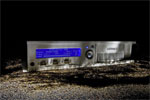
CryptoServer LAN
To set up the CryptoServer LAN in your network please follow the instructions given in the CryptoServer LAN Operating Manual.
CryptoServer driver for PKCS#11, Microsoft CSP / CNG and Utimaco CSI
The CryptoServer interface driver are installed together with the CryptoServer Administratin Tool CAT.
CryptoServer Administration Tool CAT
The CryptoServer Administration Tool (CAT) provides a easy way to set up and customize the CryptoServer. CAT is a Java Tool, which has to be on the PC that includes the CryptoServer PCI card or is the PC used to administrate one or more CryptoServer LAN.